The ORT online portal is where Saskatchewan landlords and tenants create tenancy notices, file applications, upload evidence and pay fees, 24 hours a day. To get in, you need a Saskatchewan Account with the Office of Residential Tenancies (ORT) service card linked to it (saskatchewan.ca, Office of Residential Tenancies).
This how-to is for anyone using the portal for the first time. For what happens at a hearing, see ORT Hearings in Saskatchewan.
Which Saskatchewan Account do you need?
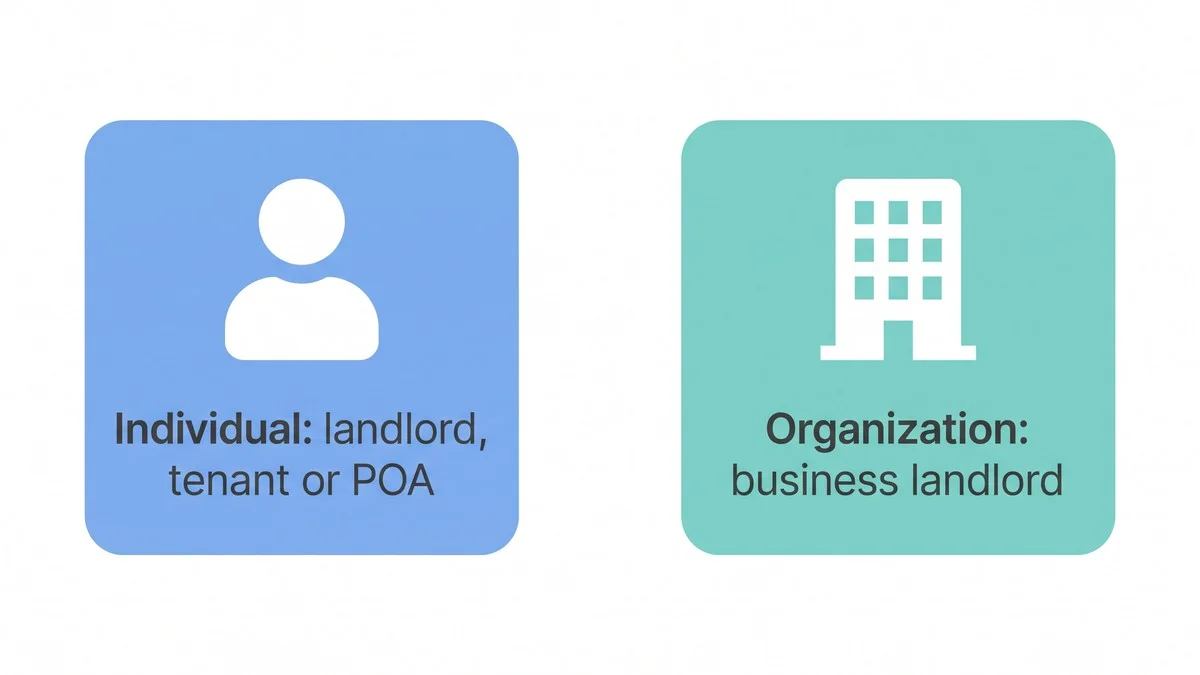
- Individual account: for an individual landlord, a tenant, or a person acting under their power of attorney.
- Organization account: for a business landlord. The owner or director should create it, then invite employees to submit on the business's behalf.
How do you set up access and file?
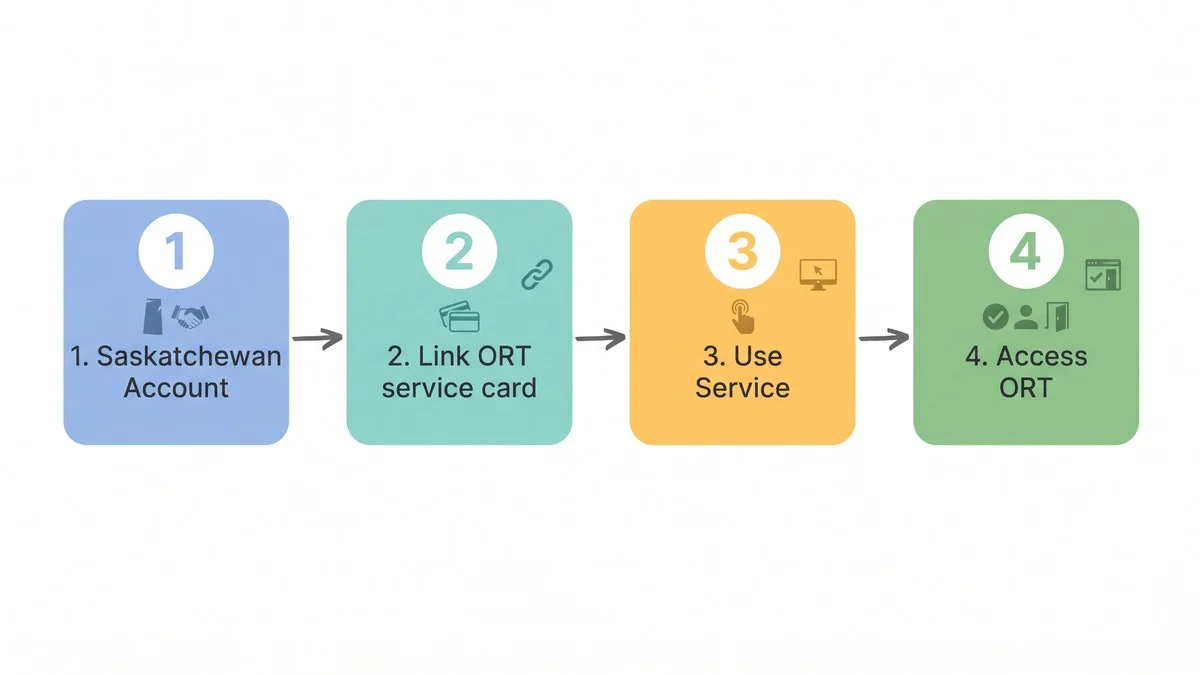
- Register for a Saskatchewan Account of the right type.
- Link the Office of Residential Tenancies service card in your account.
- Select Use Service on that card, then Access Office of Residential Tenancies under Tasks. You are now in the portal.
- To give a notice, choose New Notice and pick the notice by its portal name. Use full legal names; the ORT requires them on every notice (saskatchewan.ca, Ending a Tenancy).
- To apply for a hearing, choose New Application, select Landlord or Tenant and whether you are the applicant or filing for them, pick the application type, enter the tenancy details and upload your documents, then select Submit.
- Pay when asked. After staff review, the status shows Payment Required; pay the non-refundable $50 fee in the portal. Staff then schedule a hearing and send the hearing notice by email or mail (saskatchewan.ca, Settling Disputes).
Where is each application in the portal?
The portal no longer uses the old form numbers, so the ORT publishes the menu path for each application. The common ones (saskatchewan.ca, Settling Disputes):
- Tenant claim (old Form 9): New Application > Tenant > Yes/No > the claim reason. During the tenancy or up to one year after the act or omission.
- Landlord claim after serving a notice (old Form 9a): New Application > Landlord > Yes/No > the claim reason marked "Notice Served". During the tenancy.
- Landlord money claim (old Form 9c): New Application > Landlord > Yes/No > Monetary Claim. During the tenancy or up to one year after.
- Deposit not returned (old Form 12): New Security Deposit Dispute > Landlord has not returned the security deposit. Within 60 days of the tenancy end date.
- Disputing a landlord's deposit claim (old Forms 13/14): New Security Deposit Dispute > Notice of Landlord's Claim for Security Deposit. Within 60 days of the tenancy end date.
A landlord's security deposit claim filed in the portal is not scheduled for a hearing unless the tenant disputes it and pays the filing fee.
If someone filed against you
The hearing notice you are served comes with a link code. Enter it in the portal to link to the application; you can then upload your own evidence about the claims. Keep your phone number and email current in the portal, because the ORT sends decisions by email or mail and expects each party to keep its contact details up to date (saskatchewan.ca, Settling Disputes).
Does creating a notice in the portal serve it?
No. You still have to serve the notice on the other party by an approved method, and the ORT will ask for proof of service with any application. Uploading evidence is not service either; serve it on the other party separately (saskatchewan.ca, Settling Disputes; ORT Rules of Procedure).
After serving the hearing notice, the applicant completes a Certificate of Service (found under "Hearings" in the application) and uploads a copy of the notice that was served under "Hearing Notices". When a notice is served personally or electronically, each person needs their own Certificate of Service.
Frequently asked questions
Can I use the portal on my phone?
Yes. It works from any computer or smartphone.
Is there training on the portal?
Yes. The ORT runs a free virtual information clinic focused on the portal; sign up by email from the ORT page.
What if I need an accommodation to use it?
Email [email protected] or call 306-787-1334 during regular business hours. General questions go to 1-888-215-2222.
More help: the Canadian Landlord Resource Center and the Canadian Tenant Resource Center.
Get your paperwork right the first time
Look up each Saskatchewan notice by name before you open the portal: rent increase, notices to vacate, deposit claims and more.
Free • No signup required