

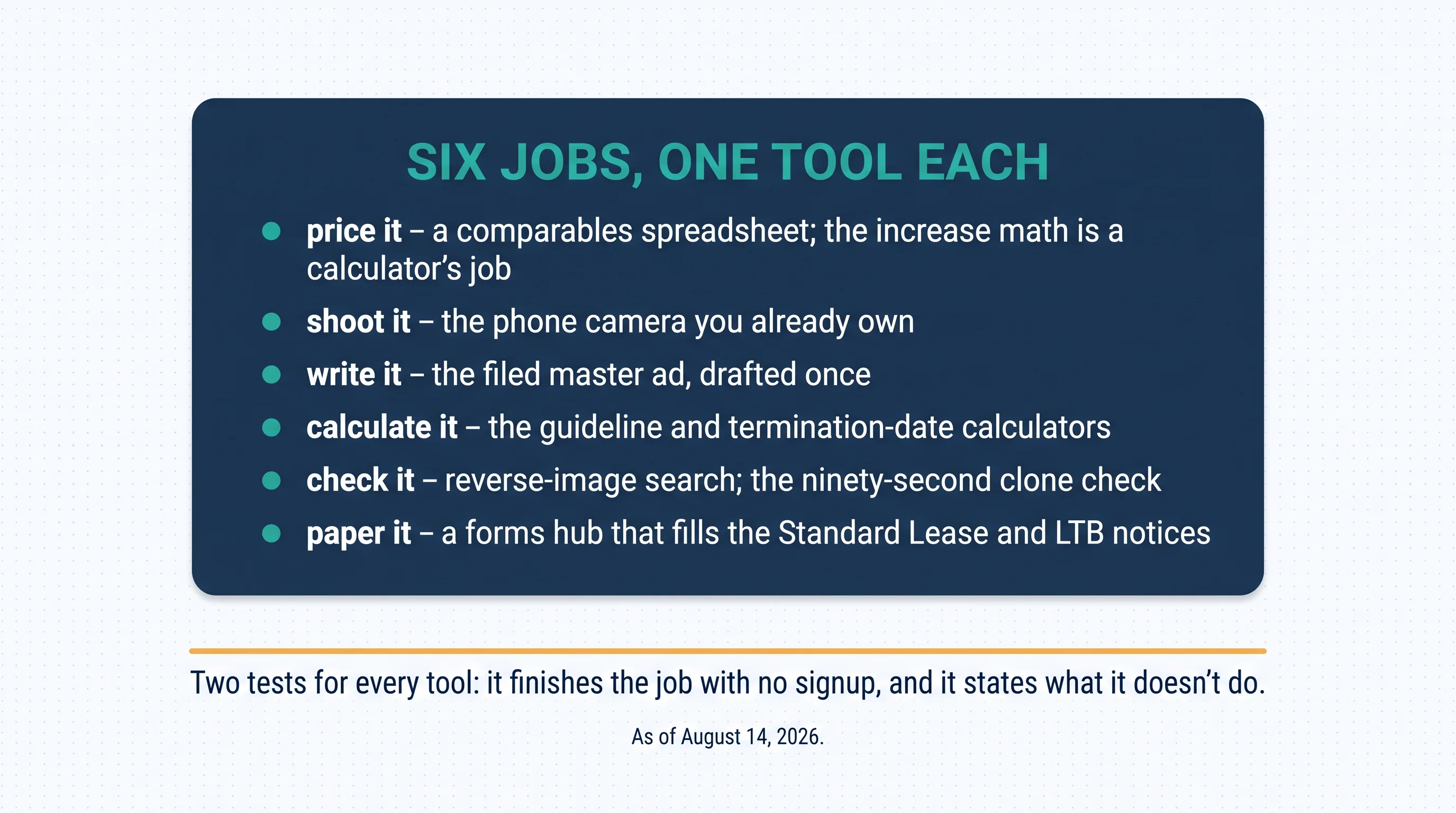
As of August 14, 2026. The listing process is a chain of small jobs — price it, shoot it, write it, calculate it, check it, paper it — and every link in the chain has a free tool that does it better than willpower. This page is the toolkit, with one thing declared before anything else: several of the tools below are ours. Each one says so where it appears, each is judged by the same two tests as everything else — it finishes its job without a signup, and it states what it doesn't do — and two of the best tools on the page aren't ours at all, because a toolkit from a tools company is only worth reading if it costs the author something.
Why those two tests? Because they're where free tools actually fail. "Free" that dies at a signup wall wasn't free — it was a lead form with a calculator attached; and a tool that won't say what it doesn't do is planning to disappoint you at the exact moment you rely on it. Everything below passed both today, with the date stated because tools drift.
Where to post is a different question — the Ontario head-to-head and the national free-sites guide in this series carry it. This is the kit for everything around the posting.
The pricing job: research first, widgets second
Honesty first, because it shapes the whole section: market pricing is comparables research, not a widget. No free tool prices your unit — the pricing guides on this site carry the method, and the actual instrument is the least glamorous one on this page: a spreadsheet with three columns (address, specs, asking rent) filled from your own submarket. General-purpose, free, and genuinely the tool for the job — because pricing is a judgment about *your* block this month, and no widget holds fresher data than the ads you can read yourself tonight. The pricing pillar in this series carries the full method; the spreadsheet is where its answers live.
What is a widget is the lawful-increase math once a tenancy exists — and this one is ours: the rent-increase calculator runs the current annual guideline, checks your unit against the November 15, 2018 exemption line, handles above-guideline awareness, and drafts the N1 from your numbers. Free, no account. What it doesn't do: tell you the right rent — it computes what's lawful, never what's smart, and on covered units the number you advertise becomes the base the guideline compounds from, which is its own guide in this series.
The photo and words jobs: the tools you already own
The camera job belongs to the phone in your pocket — listing-quality photos are technique, not equipment: light on, blinds open, corners shot from chest height, and the native editor's straighten-and-brighten pass. The listing guide carries the craft; nothing purpose-built improves on the hardware you own.
The words job runs on the filed master: the ad drafted once, properly, and saved — the templates pack in this series ships the skeletons — then pasted into every platform in your posting routine. And the humble container around it earns its place in the kit: the filed-ad folder, with a naming habit, is the cheapest tool on this page — and the day a clone of your listing surfaces, the filed original with its post date is exactly the takedown evidence the platforms ask for, per the scam-defence guide in this series.
The money-math job: the calculators (ours, disclosed)
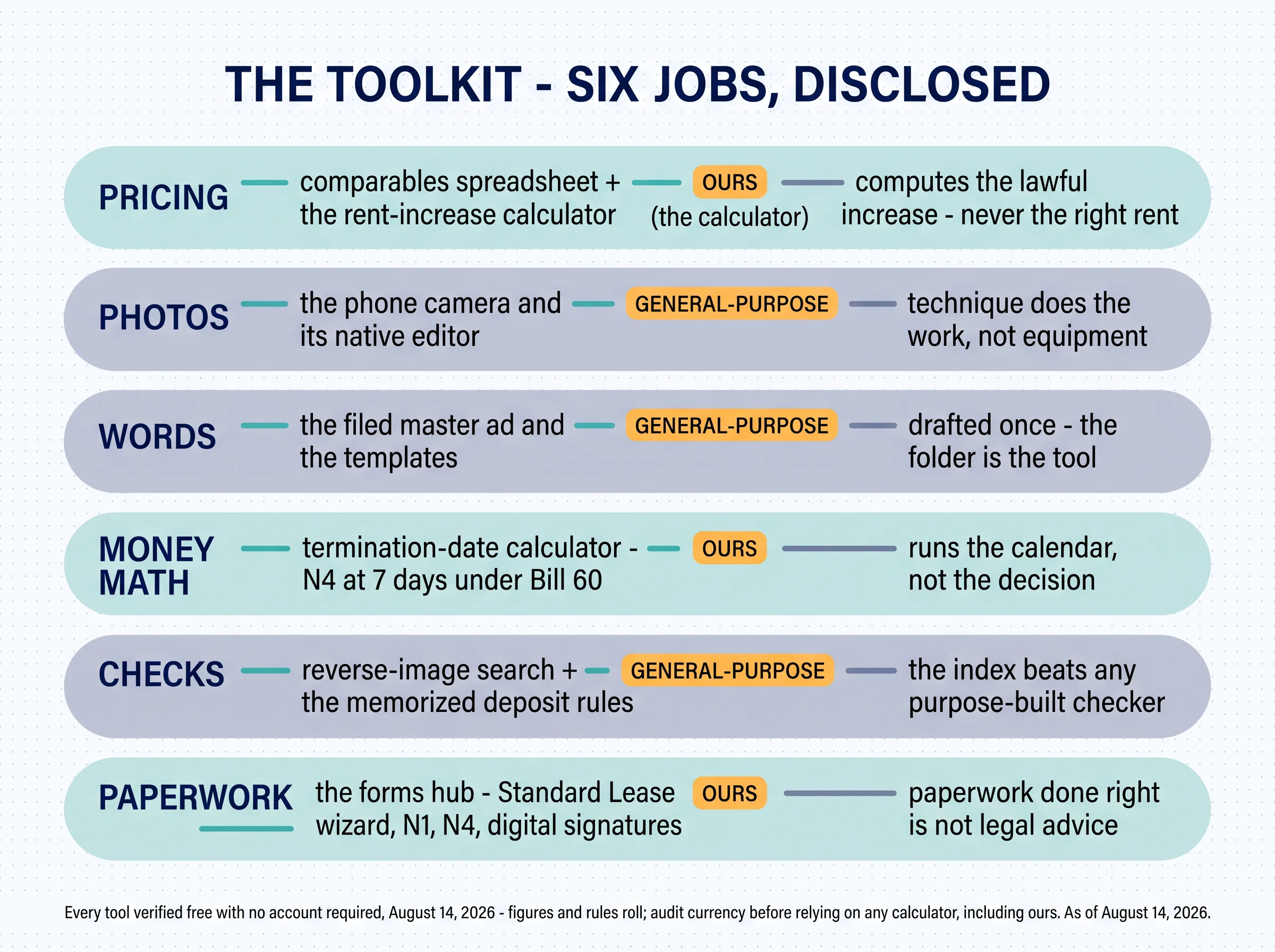
This section is the home field, so the disclosure leads each entry. The rent-increase calculator — ours, covered above: guideline math, the exemption checker, the N1 drafted from the result. The next one is ours as well — the termination-date calculator: notice-date math across the notices landlords actually serve — the N4 at its Bill 60 length of 7 days, plus N12, N5 through N8, and N13 — free, no account. What it doesn't do: the judgment. It runs the calendar, not the decision to serve — and the tool says so itself, which is how a calculator should talk.
The LTB timeline tracker — ours, on the tools hub: once an application exists, it tracks the stages and deadlines so nothing lapses quietly. What it doesn't do: the application. All three live behind one link — the Ontario tools index — and all three pass the no-account test as of today's check.
The check jobs: where general-purpose wins outright
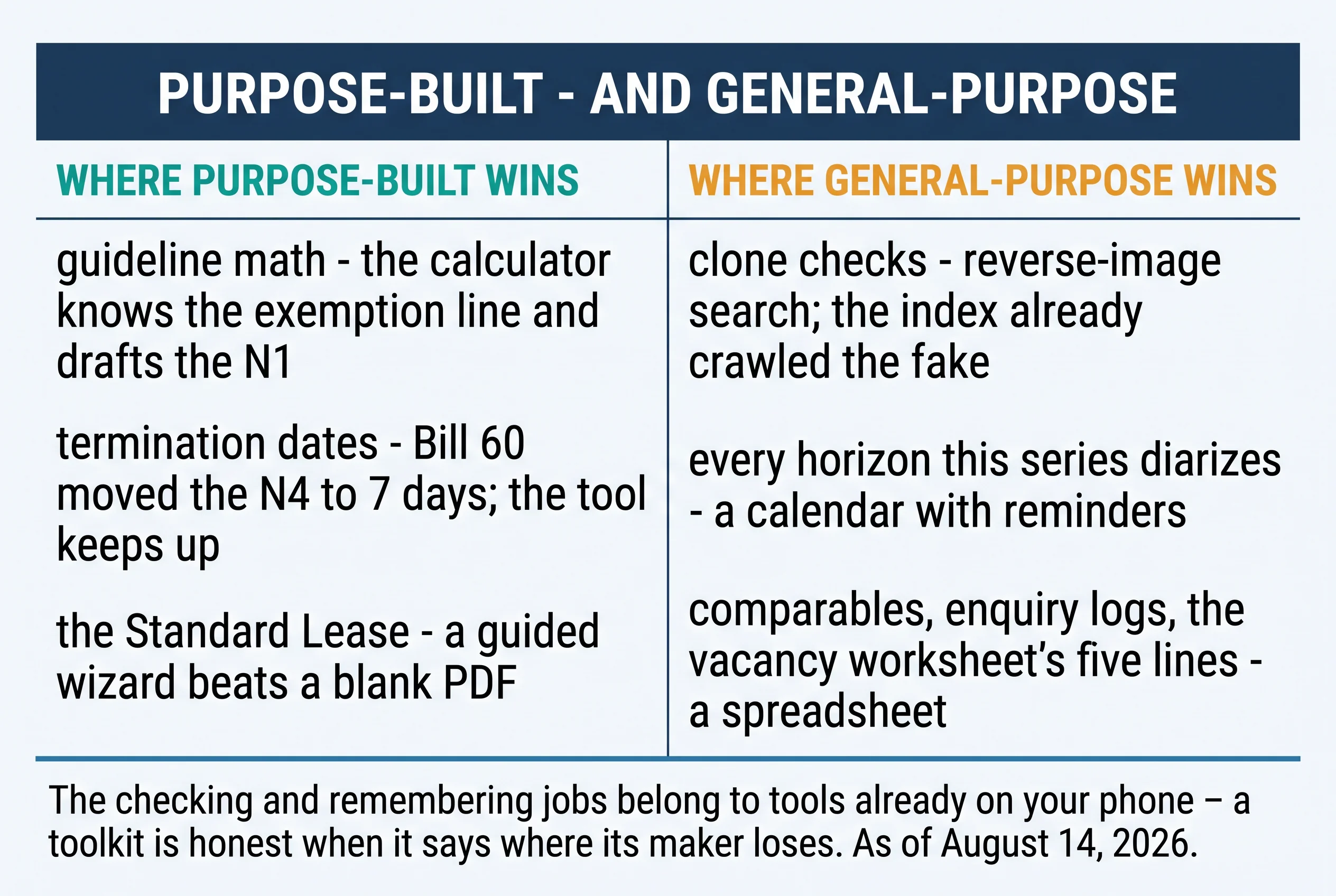
Here's the section that costs us something, offered on purpose. The best checking tool in the kit isn't ours and isn't purpose-built: reverse-image search. The ninety-second clone check — search the listing photos, search the address plus "for rent" — works because the search engine's index already crawled the fake, and no dedicated tool will ever beat the index. The scam-defence guide in this series runs both chairs of that check; the lens on your phone runs the search. The address search is the second lens for the same reason: the fake reuses real photos but can't fake the paper trail — a unit genuinely for rent leaves one listing trail, and a cloned one leaves two, at two prices, which the index shows you side by side.
The second general-purpose star: a calendar with reminders. Count what this series has asked you to diarize — the listing-renewal dates, the increase horizon minus its 90 days, the showing schedule, the quarterly platform-cell check — and notice they all live in one tool you already own. The least glamorous tool on the page, and the one that compounds: every other tool here does its job once per vacancy — the calendar is the one that makes sure the others run on time, every year, without you holding the schedule in your head.
And one tool you memorize instead of installing: the deposit rules. First, last, and a key deposit at cost — three items that detect illegal asks and scams alike, from either chair, with no download.
The paperwork job: the forms hub (ours, disclosed)
This one is ours, and the capability list is exact from today's verification — the forms hub: free PDF filling for the Ontario forms landlords actually use — the Standard Lease on a full guided wizard, the N1 with above-guideline awareness, the N4, N9, N11, N12, and L1 — with digital signatures, validation against current rules, Bill 60 awareness, and email-to-download. No account required. One framing kept honest: the form is the government's; ours is the guided filling of it — the Standard Lease guide explains the document itself. What the hub doesn't do: legal advice. A validated, signed form is paperwork done right; whether to serve it is judgment no tool has.
One paragraph for the library that rides with this series: most of our guides ship with a free one-page checklist or worksheet — the screening gates, the scam checks, the vacancy math, the increase pre-flight — ungated by nature and linked where each guide lives. They're tools too; they just arrived one article at a time — and the assembly habit below is where they stop being downloads and start being a system.
The kit, assembled: one folder, posting order

For landlords — the ten-minute assembly: One bookmarks folder, named for the workflow, in posting order: the comparables sheet · the camera notes · the filed-ad folder · the two calculators · reverse-image search · the forms hub. Then the calendar's three standing reminders: listing renewal, increase horizon, and the quarterly cell check. Ten minutes once — and every vacancy after runs on rails: the next listing starts from the filed master instead of a blank page, the increase conversation starts from the calculator instead of a guess, and the clone check runs from muscle memory instead of suspicion.
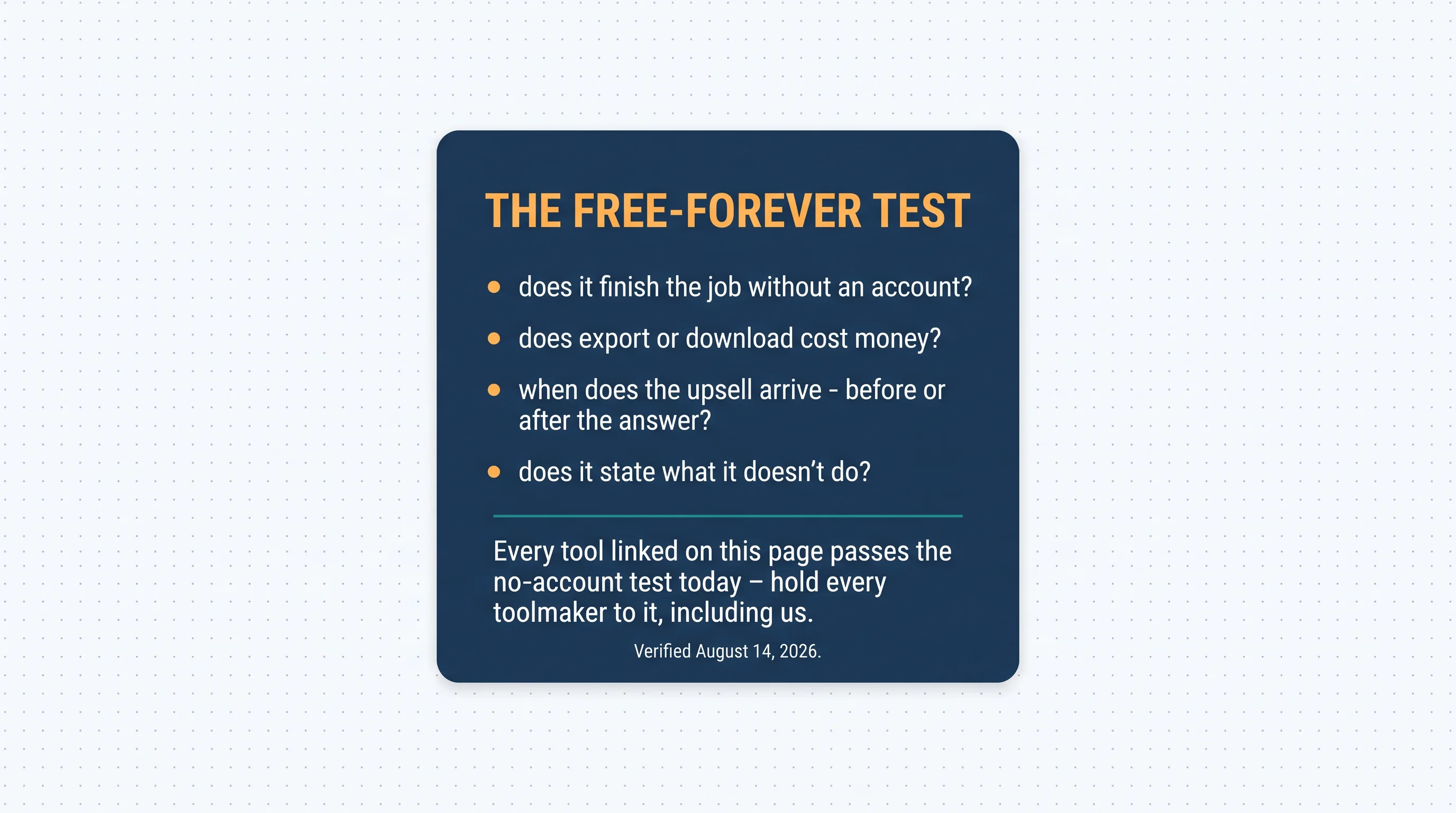
For landlords — the "free forever" test: How to read any free tool's model, anywhere: does it finish the job without an account? Does export or download cost money? When does the upsell arrive — before or after your answer? And does it state what it doesn't do? Every tenon10 link on this page passes the no-account test today — which is exactly the standard you should hold us to tomorrow. The export question is the sharpest of the four, because it's where "free" quietly dies most often: a calculator that computes for free but charges to download its own answer did the job and then ransomed the result.
One sentence about the bigger thing, disclosed like everything else: when tools graduate into workflow — rent collection, leases, and maintenance in one place — tenon10's platform is the $0/month version of that, and it's ours; this page needed exactly one sentence about it, and that was it.
Key takeaways
- The listing process is six jobs, and each has a free tool that beats willpower.
- Several tools here are ours — declared where they appear, judged by the same tests as everything else.
- The two tests: finishes its job with no signup, and states what it doesn't do.
- General-purpose wins the checking and remembering jobs — reverse-image search and a calendar are the kit's quiet stars.
- The calculators do the math, never the judgment; the forms hub does the paperwork, never the strategy.
- Audit any tool's currency before relying on it — figures roll yearly, rules move mid-year, and that standard includes ours.
Six jobs, one honest kit
Assemble it once and the chain runs itself: the spreadsheet prices, the phone shoots, the filed master writes, the calculators do the lawful math, the lens checks, and the forms hub papers the result — with the advertising method sequencing the whole campaign and the posting itself routed to the site guides. Every tool on this page passed the same two tests today; hold them — and us — to the same tests tomorrow. The kit's real product isn't any single tool; it's the vacancy that runs without drama — priced from evidence, shot and written once, calculated lawfully, checked in ninety seconds, and papered before the ink dries. As of August 14, 2026.
The paperwork half of the kit
The Standard Lease on a guided wizard, N1, N4, and the LTB forms landlords actually use — validated, signable, downloadable.
Free forever • No signup required
Related resources
- How to Advertise a Rental Property in Ontario — the method the kit serves.
- Where to List: 9 Sites Compared — the posting question this page routes to.
- How to Write a Rental Listing — the craft behind the filed master.
- The Ontario Standard Lease — the document the wizard fills.
Frequently asked questions
What free tools do Ontario landlords actually need?
One per job: a comparables spreadsheet, your phone's camera, a filed master ad, the guideline and termination-date calculators, reverse-image search for clone checks, and a forms hub that fills the Standard Lease and LTB notices without an account.
Is there a free Ontario rent increase calculator?
Yes — ours is at the Ontario tools hub: current-guideline math, the rent-control exemption checker, and it drafts the N1 from your numbers. No account needed. Check any calculator's stated figures against the current year — including ours.
Can I fill the Ontario Standard Lease online for free?
Yes — the form is the government's; our forms hub walks it on a guided wizard with digital signatures and instant download, no account required.
Do free landlord tools have a catch?
Run the two tests: does it finish the job without a signup, and does it state what it doesn't do? Everything linked on this page passes both today — and the test matters more than any list.
What's the best tool for spotting rental scams?
Not a purpose-built one: reverse-image search. The clone check is ninety seconds — search the photos, search the address — and it works because the index already crawled the fake.


