

Count where landlording actually happens: the showing on a Saturday afternoon, the move-in walkthrough, the furnace photo taken in a basement with no signal, the receipt at the hardware-store register, the e-Transfer that lands while you're in line for coffee. Landlording is a mobile job — and most software still treats it as a desk job. The away-from-desk half of the work is where records go to die: photos stranded in camera rolls, inspections transcribed "later," payments confirmed from memory. The category's own count says a single lease term carries four or more inspection types — none of them at a desk.
Here's the honest frame for this guide, stated up front: Tenon10's iOS and Android apps are officially coming soon. As of this writing, no Tenon10 app is in either store, and we won't walk you through screens that don't ship yet. What this guide does instead: the mobile-first landlord workflow you can run tonight on any setup, an honest account of what the platform publicly offers today, and the five-question checklist to hold the apps to when they land. This article carries a standing commitment: it will be updated into a full hands-on deep-dive when the apps launch. General information, not legal advice.
The Mobile-First Landlord Workflow
The pocket checklist for the away-from-desk half of landlording — capture and attach photos in the same minute, confirm payments the day they arrive, keep commitments at the desk, and hold any landlord app to the five-question launch test.
Get Free PDF →Landlording Is a Mobile Job (Your Software Just Doesn't Know It)
Map the jobs that happen away from the desk and you've mapped most of the visible work: showings and self-showings; move-in and move-out condition reports; the routine inspection cadence — again, four-plus types per lease term by the category's own count; maintenance triage, which is to say the furnace photo and the leak video; receipt capture at the register; rent-day confirmations; and the steady stream of tenant messages. None of these happens at a desk. All of them create records that matter later.
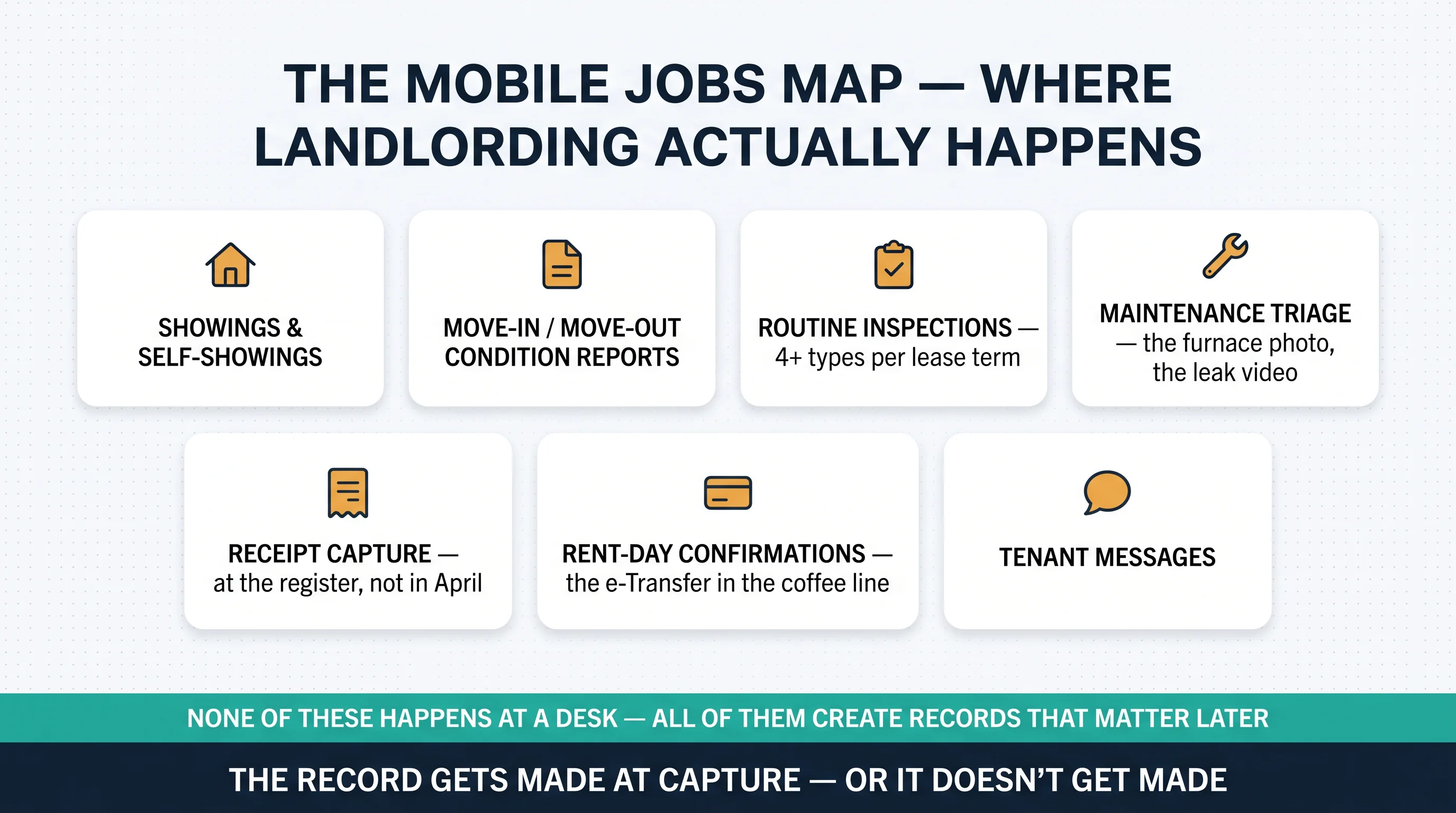
And the field is where records die. The clipboard gets transcribed "later," which is to say never. The photo lands in the camera roll instead of on the unit. The payment gets confirmed from memory, in April. Consider the illustrative basement photo: a furnace inspection two floors below signal. With offline capture, the timestamped photos sync themselves the moment you surface; with paper, the record's fate depends on an evening of transcription that rarely comes. The stakes are not abstract — these field records are the same contemporaneous records our accounting deep-dive showed the CRA prefers to reconstructions, the same evidence the LTB weighs, the same file a deposit dispute turns on.
The Five Field Norms: What Good Mobile Work Looks Like
1. Offline capture is table stakes. Basements and parking garages have no signal. Good field tools complete checklists and photos offline and sync cleanly later — call it the basement test, and run it on anything you rely on.
2. Metadata is the defence. Timestamped — often geotagged — photos with electronic signatures make digital reports more defensible than paper, because the evidence trail lives inside the file. The illustrative payoff: a guided, timestamped, tenant-co-signed move-in report from day one settles a deposit disagreement in minutes, eighteen months later. The dispute you resolve quickly is the one you won at move-in.
3. Tenant-led inspections are mainstream. Guided, step-by-step phone inspections completed by tenants themselves run at roughly 80% completion in the category's own numbers. The manager handles exceptions, not the routine — which is exactly how a small operation scales its inspection cadence without scaling its driving.
4. Snap-tag-go. The photo attaches to its unit and category at capture, or it's a record that doesn't exist yet. The cautionary composite is the camera-roll graveyard: 300 receipt and repair photos, zero attached to units — April's shoebox, digitized. The fix is a workflow rule, not a bigger phone.
5. One system of record. What's captured in the field appears for everyone without re-entry — sync, not a pile of exports. Field-to-office friction is where "I photographed it" quietly fails to become "we have it."


Where Tenon10 Is Today — and the Launch-Day Checklist
The status, plainly: Tenon10's mobile apps for iOS and Android are officially coming soon. As of this writing (July 13, 2026), no Tenon10 app appears in the App Store or Google Play, and this guide won't describe screens it hasn't seen. The company's public hiring materials indicate cross-platform mobile development is underway — a signal about direction, not a date. So here is the contract this article makes with you instead: when the apps land, this piece will be rewritten as the full hands-on deep-dive, with everything below applied to the real thing.
What's live on the platform today is genuinely mobile-adjacent, stated without inventing the phone experience: tenants onboard from magic-link invites — the phone-native onboarding pattern; tenants can self-report offline payments — cash, cheque, Interac e-Transfer — for the landlord's confirmation, and once confirmed, the ledger entry and receipts exist instantly on both sides (the full picture is in our guide to paying rent on Tenon10); existing leases import via OCR upload; and Keya Q&A answers questions from your own records starting on the free plan — our Keya deep-dive covers the ask-your-books pattern and the verification habit that goes with it. How the web app behaves in a phone browser isn't publicly documented — a fair question for a tour. Plans note: everything here rides the existing tiers — Free ($0, up to 3 units), Essentials ($9.99/month, up to 10), Pro ($49/month, up to 25, 30-day trial); tenants always free; see tenon10.com/pricing for current rates.
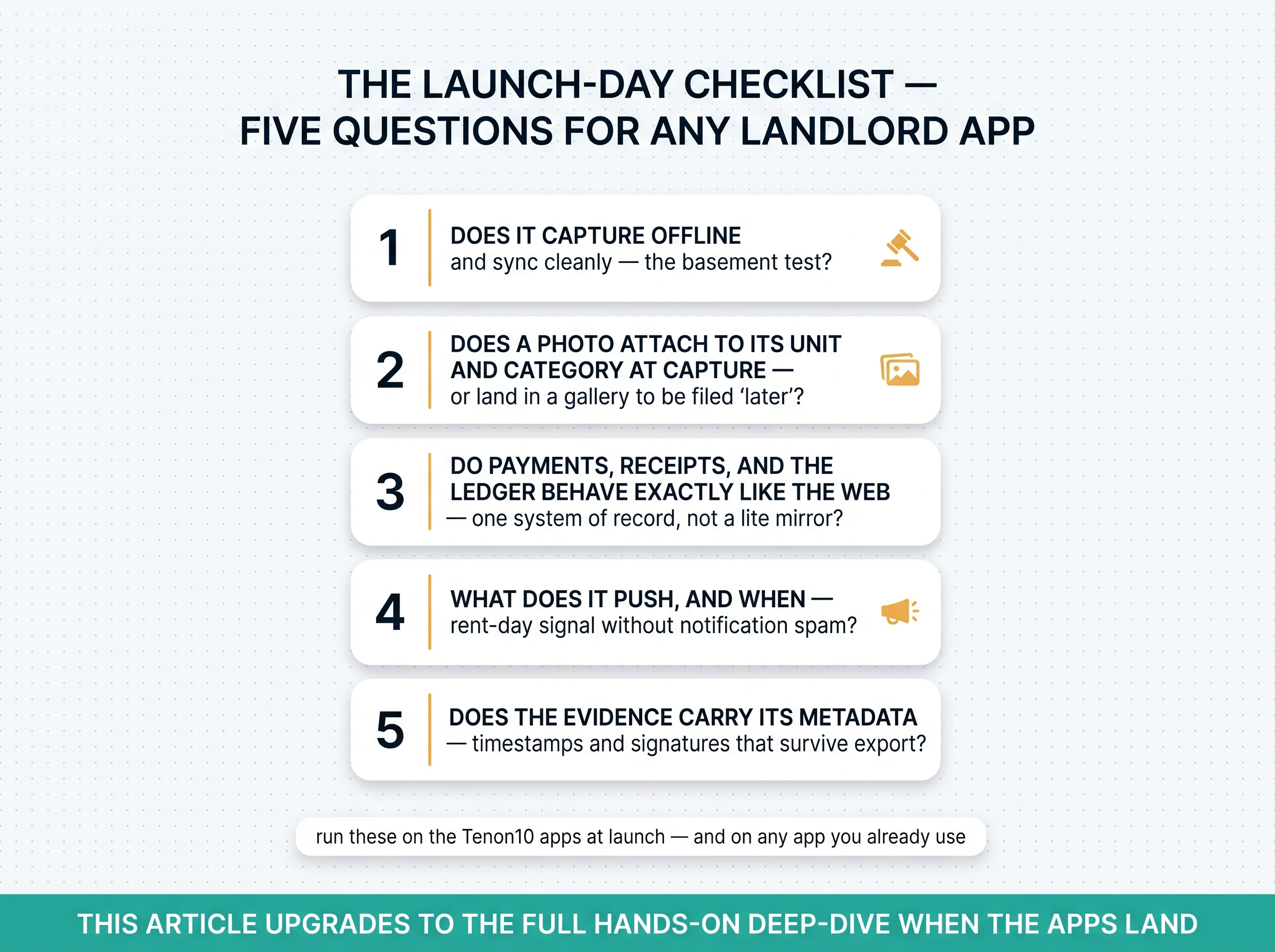
And when any landlord app arrives — Tenon10's included — hold it to five questions:
- Does it capture offline and sync cleanly — the basement test?
- Does a photo attach to its unit and category at capture — or land in a gallery to be filed "later"?
- Do payment confirmations, receipts, and the ledger behave exactly like the web — one system of record, not a lite mirror?
- What does it push, and when — a rent-day signal without notification spam?
- Does the evidence carry its metadata — timestamps and signatures that survive export for the LTB or a deposit dispute?
What NOT to Do From a Phone
The judgment layer most mobile guides skip: some jobs should never leave the desk, however capable the phone. Serving legal notices tops the list — service rules and the Certificate of Service deserve a desk and a checklist, because hasty phone service is how termination dates go wrong; our N4 guide shows how much of that form's power is in the details. Draft in the field if you must; serve from the desk with the form checked against the LTB original in our forms hub. Signing binding documents in a parking lot is next — speed is not diligence, and the verification habit applies doubly on a small screen. And replying to conflict messages at 11 pm: acknowledge fast, respond well tomorrow — boundaries beat speed.

Practical Takeaways
- Map your own mobile jobs — everything that happens away from the desk creates a record; treat it that way.
- Adopt snap-tag-go — capture AND attach in the same minute, or it didn't happen.
- Run the basement test on any tool you rely on — offline capture, clean sync.
- Make move-in reports guided, timestamped, and co-signed — the dispute you settle in minutes is won on day one.
- Let tenants do the routine — guided tenant-led inspections run at roughly 80% completion; you handle the exceptions.
- Keep the phone for capture and confirmation, the desk for commitment — notices and signatures never leave the desk unchecked.
- When the Tenon10 apps land, run the five-question launch checklist before you migrate your workflow — and re-read this piece, because it will have become the hands-on deep-dive.
The Mobile-First Landlord Workflow
The pocket checklist for the away-from-desk half of landlording — capture and attach photos in the same minute, confirm payments the day they arrive, keep commitments at the desk, and hold any landlord app to the five-question launch test.
Get Free PDF →The Record Gets Made at Capture — or It Doesn't Get Made
Landlording is a mobile job: the showings, inspections, photos, receipts, and rent-day confirmations all happen away from the desk, and each one either becomes a record at capture or quietly never becomes one. The field norms are knowable — offline capture, metadata, tenant-led routine, snap-tag-go, one system of record — and the counter-list is short: serve, sign, and commit from the desk. The honest status is just as simple: Tenon10's apps are coming soon, the platform's mobile-adjacent capabilities are live on the web today, and this article upgrades into the full deep-dive the day the apps land. Hold them to the five-question checklist when they do — that's not skepticism, it's how a professional adopts a tool. General information, not legal advice; verify pricing and platform status at tenon10.com.
Build the Workflow the Apps Will Inherit
Confirmed payments, attached receipts, and books that build themselves — live on Tenon10's web platform today, from the free plan up.
Free plan for up to 3 units • Tenants always free • Apps coming soon
Related Resources
The records discipline: The Accounting Module deep-dive — where field captures become books · CRA Audits of Rental Income — why contemporaneous beats reconstructed.
The platform siblings: Keya, Explained — the ask-your-books copilot and the verification habit · How to Pay Rent on Tenon10 — every payment path, including the offline confirmations · Owner Sub-Accounts for property managers.
The desk jobs done right: The N4 Guide · the Certificate of Service · the Ontario LTB forms hub and termination date calculator.
Frequently Asked Questions
Is there a Tenon10 mobile app?
Not yet — and this guide won't pretend otherwise. Tenon10 lists its iOS and Android apps as coming soon, and as of this writing no Tenon10 app appears in the App Store or Google Play; the platform runs on the web today. The company's public hiring materials indicate cross-platform mobile development is underway, which signals direction but not a date. What exists today on the platform is genuinely mobile-adjacent: tenants onboard from magic-link invites, offline payments like Interac e-Transfer can be self-reported by tenants and confirmed by landlords with instant receipts on both sides, existing leases import via OCR upload, and Keya Q&A answers questions from your own records starting on the free plan. This article carries a standing commitment: it will be updated into a full hands-on deep-dive when the apps launch — check the date stamp, and check tenon10.com for current status.
How can I manage my rentals from my phone today?
By workflow, not by wishing for an app: the away-from-desk half of landlording is a set of capture-and-confirm jobs that any disciplined landlord can run well right now. Photograph receipts and repairs the moment they happen and attach them to the right unit and category in the same minute — a photo stranded in your camera roll is a record that doesn't exist yet. Make move-in and move-out condition reports guided, timestamped, and co-signed. Confirm offline rent payments into your system of record the day they arrive rather than reconciling from memory in April. Acknowledge tenant messages quickly and answer substantively on a schedule you control. And keep one boundary firm: the phone is for capture and confirmation; notices, signatures, filings, and money movements belong at the desk, checked against the original source.
What should a landlord look for in a mobile app?
Five things, whatever the platform. First, offline capture that syncs cleanly — basements and parking garages have no signal, and the basement test separates real field tools from desk software with a phone icon. Second, photos that attach to their unit and category at capture, not a gallery to be filed later. Third, full parity with the web on the things that matter — payment confirmations, receipts, and the ledger should behave identically, one system of record rather than a lite mirror. Fourth, sane notifications — a rent-day signal without spam. Fifth, evidence that carries its metadata: timestamps and signatures that survive export, because a deposit dispute or an LTB matter is won on the file. Run those five questions at any demo — including Tenon10's, when its apps arrive.
Can tenants report rent payments from their phone?
On Tenon10, tenants can self-report an offline payment — cash, cheque, or Interac e-Transfer — for the landlord to confirm, and once confirmed, the ledger entry and receipt are created instantly for both sides. That closes the classic e-Transfer gap where the money moved but no system of record noticed: instead of a screenshot folder and a memory, both parties hold a timestamped entry. The same pattern is why offline money deserves the same discipline as online money — the payment isn't "recorded" until it's confirmed into the system, whichever device that happens on. For everything tenants can do on the platform, including the free payment options, see our guide to paying rent on Tenon10.
When is the Tenon10 mobile app coming out?
There's no public release date — the honest answer is "coming soon" is the company's own current language, and we won't invent a timeline it hasn't published. Two things are worth doing in the meantime: first, run the mobile-first workflow in this guide, because the habits (snap-tag-go capture, confirmed payments, co-signed condition reports, desk-only commitments) transfer directly to whatever app you eventually adopt; second, bookmark this article — it carries a standing launch-refresh commitment and will be rewritten as a full hands-on deep-dive, with the five-question launch checklist applied, when the apps ship. For the current status at any moment, tenon10.com is the source of truth.
This article describes Tenon10 platform status and mobile field-work practices as of July 13, 2026 and provides general information, not legal, tax, or professional advice. Tenon10's iOS and Android apps are listed as coming soon with no public release date; this article will be updated into a full hands-on deep-dive when they launch. Category figures reflect published industry sources and vary by tool. Platform features, plan inclusions, and pricing change — see tenon10.com/pricing for current rates and tenon10.com for mobile status. Verify legal documents against official sources and consult licensed professionals for your situation.


